Multi-session browser MCP server

Your agents share a browser.
Ours don't have to.

15 parallel sessions. Full isolation. One server.

terminal
$ npx leapfrog

  @..@    Leapfrog v0.6.1
 (----)   36 tools | 15 max sessions | self-improving
( >__< )  watching.
0
parallel sessions
0
tools
0
tests
0
x fewer tokens
0
cloud deps

The problem

Your agents are waiting in line.

You have multiple Claude Code terminals open. Each one needs browser access.

The moment the second terminal tries to touch the browser, both fight over the same instance. One crashes. One waits.

Every browser MCP on the market gives you one session. One browser. One agent at a time.

Leapfrog gives you fifteen.

# Terminal 1
navigating to github.com...

# Terminal 2
ERROR: Browser session in use
Session locked. Waiting...

# With Leapfrog
session s_01 → github.com   ✓
session s_02 → npmjs.com    ✓
session s_03 → vercel.com   ✓
pool: 3/15 active

The solution

Fifteen sessions. Each one isolated.

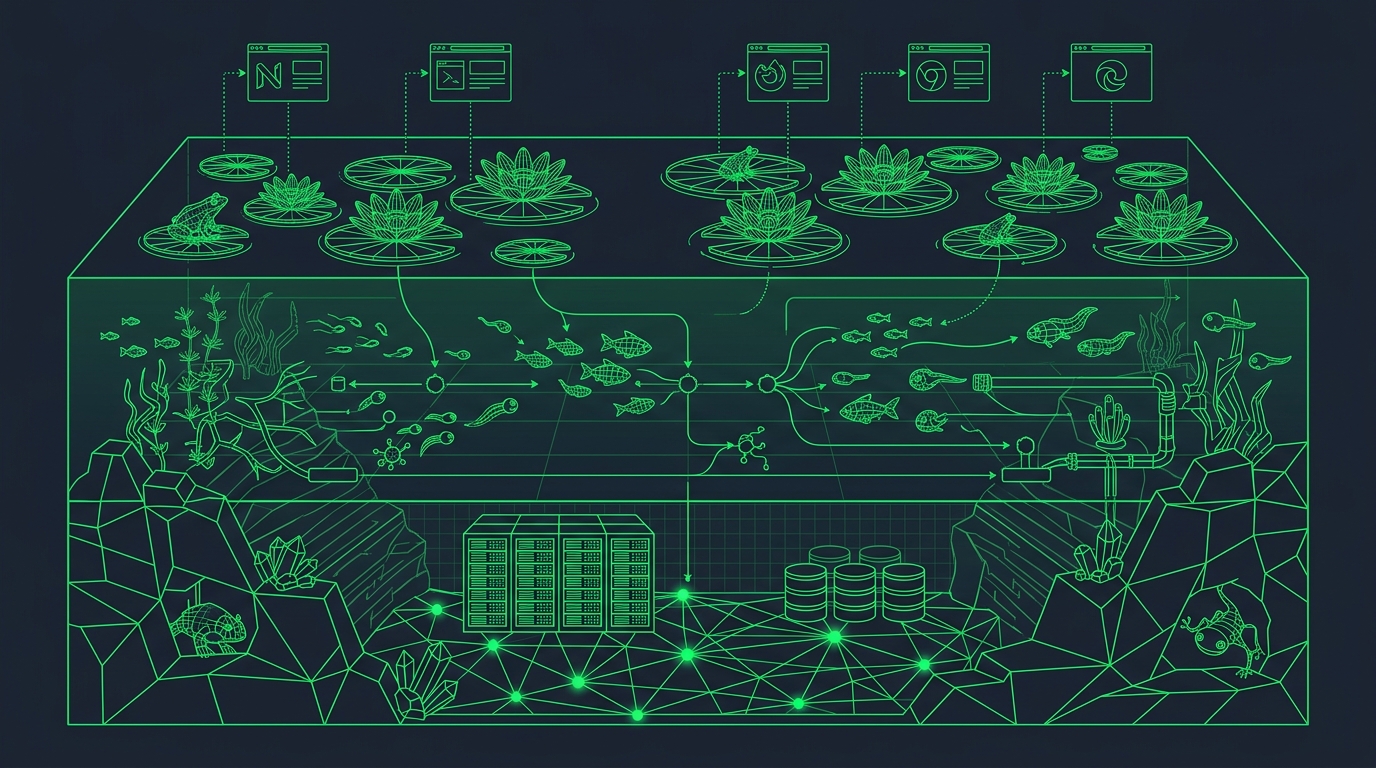
Each session runs in its own BrowserContext — separate cookies, localStorage, cache, and fingerprint. They never leak state.

s_01
github.com
s_02
npmjs.com
s_03
gmail.com
s_04
stripe.com
s_05
vercel.com
s_06
linear.app
s_07
notion.so
s_08
aws.amazon.com
s_09
figma.com
s_10
slack.com
s_11
jira.atlassian
s_12
docs.google
s_13
...
s_14
...
s_15
...

pool: 15/15 active  |  0 conflicts  |  52MB heap

What's in the box

36 tools. Zero filler.

Run 15 browsers at once. Zero tug-of-war between agents.

Each session gets its own cookies, storage, and fingerprint. Session 1 on GitHub and Session 5 on Gmail never share a single byte.

Mouse curves. Typing delays. Scroll drift. Sites think you're real.

Bezier mouse paths, log-normal keystroke timing, smooth scroll with natural variance. 6 humanization modules that make automation look like a person at a keyboard.

Import Chrome. Stay logged in.

Import your real Chrome profile — cookies, history, saved logins. Sites trust you because you ARE you. No fake fingerprints. No disguise needed.

See every HTTP request. Block, mock, or capture any of them.

200-entry traffic ring buffer with regex filtering. Route-based interception — block ads, mock API responses, log specific patterns. All controllable mid-session.

Browser crashes. Your work doesn't.

Disconnect detected, sessions cleaned, fresh Chromium on the next call. No zombie processes. No orphaned contexts.

Persistent login across sessions.

Save cookies and localStorage to disk. Mount on any future session. Your agent picks up where you left off.

Same page. 10x less context burned.

Accessibility tree snapshots instead of raw DOM. Your agent sees @e3 button "Submit" — not 14,000 tokens of div soup.

Popups, OAuth, new tabs — all tracked automatically.

When a site opens a popup or redirects to an OAuth flow, Leapfrog follows. Switch between tabs by index. Nothing gets lost.

How it stacks up

Bring a chart.

agent-browser wins on raw token count. browser-use has 81K stars. Stagehand has the best natural language DX. Leapfrog ships the combination nobody else does.

LeapfrogPlaywright MCPagent-browserStagehand
Parallel sessions15 (isolated)11Cloud (paid)
Session isolationFullNoNoCloud
Tokens / page~1,400~14,000~300~2,000+
Network interceptYesNoNoNo
Real browser profilesYesNoNoNo
Crash recoveryAutoNoNoCloud
Local-firstYesYesYesNo
PriceFree (MIT)FreeFreePaid tiers

Ready to jump in?

One install. No cloud. No API key. No account.

Works with Claude Code, Cursor, Windsurf — anything that speaks MCP.

// Add to your MCP config (~/.mcp.json)
{
  "leapfrog": {
    "command": "npx",
    "args": ["-y", "leapfrog"]
  }
}
$ npx leapfrog --doctor
Open Source MIT License Zero Cloud Zero API Keys

One agent was signing up for backlinks. Another was pulling competitor data.

Same browser. Same crash.

That's not a multi-agent workflow. That's a collision.

I needed browsers that couldn't interfere with each other. Not two. Fifteen. Each with its own cookies, its own storage, its own fingerprint. No shared state. No tug of war.

One server. Zero collisions. That's the product.

@..@